SMART+
AI that works inside your own configuration
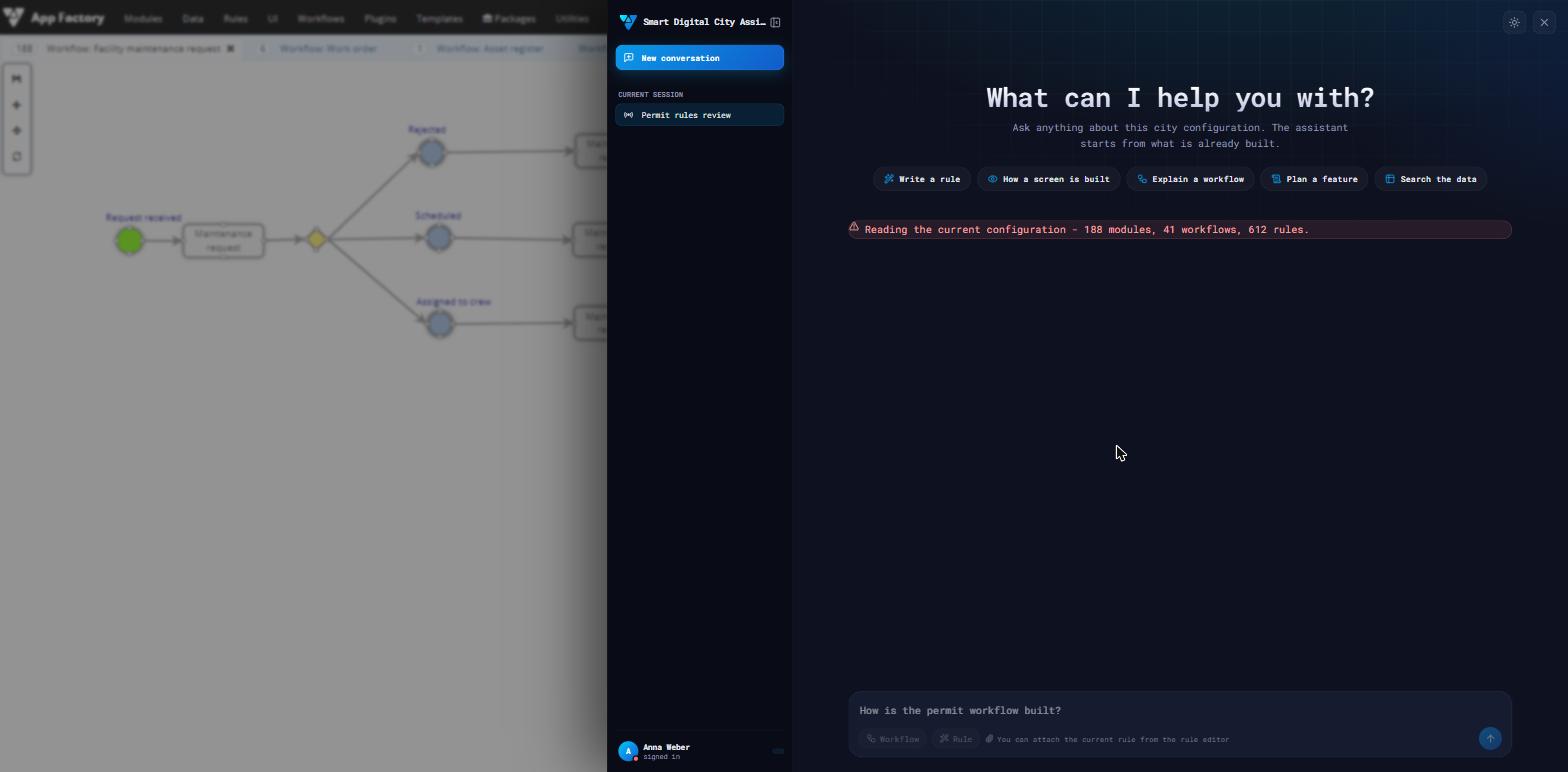
A co-pilot in the configuration studio and an adaptive checking engine on case files. It reads the entities, fields and rules the administration already has, proposes, and stops at the confidence threshold you set.
Why it matters
An assistant that works from your own configuration
Two different things get called AI in local government: a chatbot that knows nothing about your rules, and a black box that decides. This is neither. The assistant works from the configuration of your own platform, every proposal is checked for syntax and dependencies before anyone is asked to accept it, and below the configured confidence threshold the decision stays with the officer.
Grounded in your platform
Proposals come from the configuration of your own system, not from general knowledge.
Checked before anyone accepts it
Syntax and dependencies are verified first.
Below the threshold, the officer decides
Under the configured confidence level, the decision stays with a person.
What it does
A co-pilot and a checking engine
Two capabilities on the same context: the configuration of your own institution.
Conversational assistant
Inside the configuration studio, not in a separate tool with no access to your model.
Rules from plain language
A requirement written in words becomes a rule proposal, with the fields it would use named.
Your own context
The entities, fields, types and rules already configured are the vocabulary it works in.
Validated before it is proposed
Syntax and dependencies are checked first, so a proposal is something you can accept, not a draft to debug.
Dynamic checklists
Generated for the file in front of the officer, instead of the same list for every case.
Hybrid execution
Deterministic rules run first; the model is used only for what they cannot settle.
How it works
Context, proposal, validation, decision
From a requirement in words to a rule applied under human control.
1
Context
The entities, fields and rules already configured in your platform.
2
Proposal
A rule or a check generated against that context, not against a generic model of local government.
3
Validation
Syntax, dependencies and a confidence score, before the proposal reaches a person.
4
Decision
Below the threshold the officer confirms. Inputs, model, score and decision are kept.
What changes
What changes
The same three people see the difference in different places.
For the officer
The checks that appear are the ones this file needs. Missing or inconsistent documents are flagged at intake, not at the deadline.
For the administrator
A rule that used to need a specialist and a release starts as a sentence, and arrives already validated against the existing model.
For the auditor
Every automated outcome carries its inputs, the model used, the confidence score and the person who confirmed it.
Where the city already has cameras
Video analytics as an event source
Where a camera network exists, its output enters the platform the same way any other device does: as events that rules act on. The images stay subject to the purpose and retention configured for that location.
Traffic and parking
Counts, classification and bay occupancy become readings on a device, and readings become planned work or published information.
Public space and access
Occupancy of public spaces, and access to restricted zones, handled as events with the same rules and the same audit trail.
Purpose and deletion
Purpose, legal basis and retention are configured per location; deletion runs on schedule rather than on request.
Per institution
What is configured
- Which processes and case types the assistant may act on
- The automation level per check: shadow, suggestion, draft, or automatic
- The confidence threshold below which a person decides
- Which entities and fields the model is allowed to read
- How long prompts, scores and decisions are kept
- Where the models run, including on the institution’s own infrastructure
- Who may accept a generated rule into the live configuration
- The checklist each case type starts from
Connected
The rest of the platform
- Case & workflow management — where the checks run
- Digital public services — where incomplete files are caught at intake
- Governance, audit & compliance — where the decisions are reviewed
- Document registry — where the evidence is kept
Next step
Start with one check, not with a strategy.
Pick the case type where your officers spend the most time verifying documents. It runs in shadow mode first, and you see the scores before anything is automated.