Citizen & business services
Permits decided on time, with the file intact
Planning and building permissions, business authorisations and trading licences, from application through consultation to issued decision.
Why it matters
A deadline, a plot and a binding decision in one file
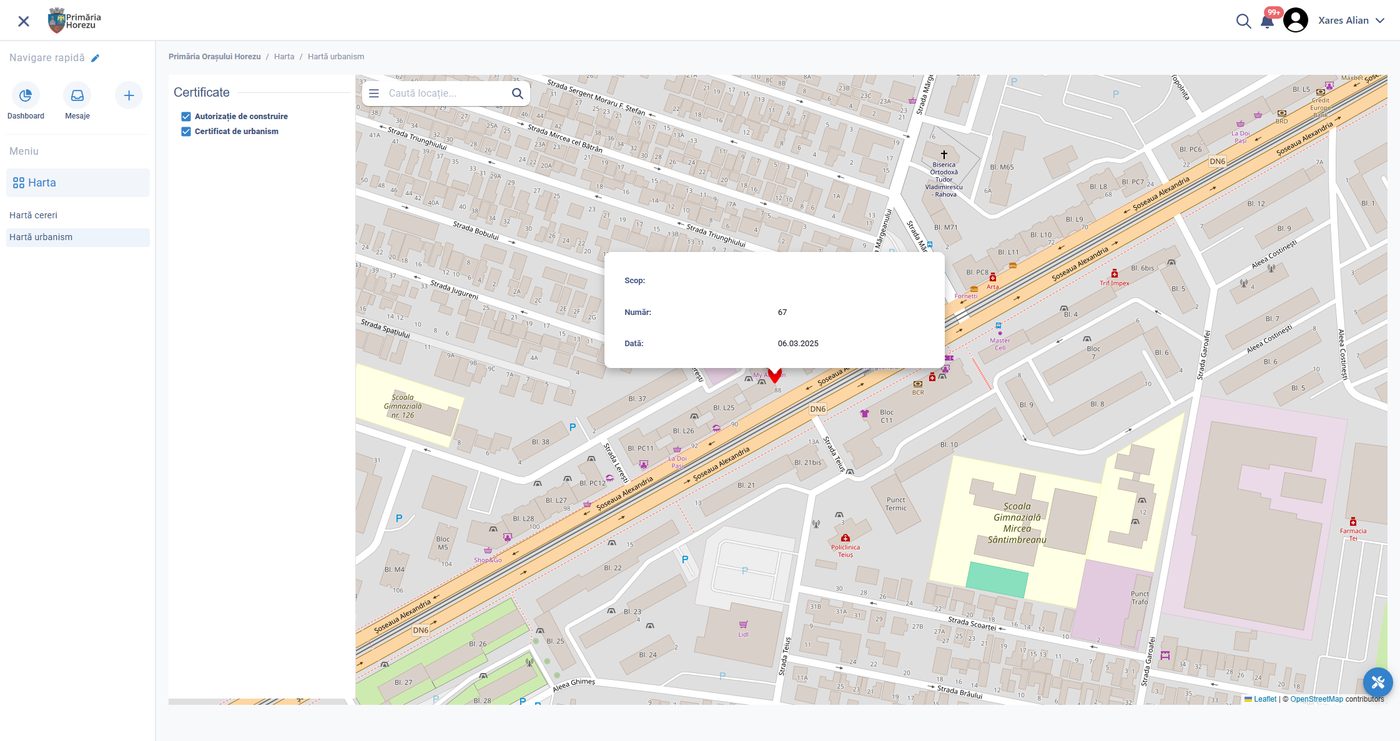
Permit work is where a deadline, a location, several departments and a legally binding document meet. The platform keeps them in one file: the application, the plot it concerns, every consultee opinion, every suspension of the term, and the decision that closes it.
The plot it concerns
The application is tied to the location it will affect.
Every consultee opinion
Departments contribute to the same file instead of their own copies.
Terms and suspensions
Each pause in the term is recorded, so the deadline can be defended.
What it handles
From a planning certificate to enforcement
One file type per permit, each with its own evidence, consultees and validity.
Planning certificates
Requests tied to a plot, answered with the constraints that apply to it.
Building permits
Application, technical review, consultee opinions, conditions and validity period.
Business authorisations
Trading, opening hours, signage and temporary occupation of public space.
Consultations
Internal departments and external bodies asked in parallel, with their own deadlines.
Conditions and validity
What the holder must observe, until when, and what triggers a review.
Enforcement handover
Issued permits are visible to inspection, so what was approved can be checked on site.
How it works
Four steps, with the term counted throughout
The calendar is usually lost between departments, not inside them.
01
Apply against a location
The application is attached to the plot or the address, so the file carries the planning context rather than a typed description of it.
02
Check completeness
Missing evidence is requested once, and the statutory term is suspended while the applicant responds.
03
Consult in parallel
Departments and external bodies receive their part at the same time, each with its own deadline, instead of a folder passed hand to hand.
04
Decide and issue
The decision is drafted from a template, signed electronically, delivered to the applicant account and recorded in the registry.
Outcomes
What changes
Terms that hold up, consultations that run in parallel, and a file that survives a challenge.
Terms counted by the system
Suspensions and restarts are recorded, not reconstructed later.
Parallel instead of sequential
Consultees work at the same time, which is where most of the calendar is lost.
A defensible file
Every opinion, version and decision stays attached to the permit.
Configured per administration
What is configured
- The permit types issued, and their legal basis
- The evidence required for each type
- Which departments and external bodies are consulted, and when
- Statutory terms, and what suspends or restarts them
- Fees, exemptions and how they are collected
- Decision templates, conditions and validity rules
- Who signs, and with which certificate
- What is published, and what stays internal
Connected to
The rest of the platform
- GIS and the property register, so the plot is the anchor of the file
- The document registry and the archive
- Inspections, for what happens after the permit is issued
- Payments, for fees and guarantees
On your own procedures
Bring one permit type and its consultee list.
We configure the term, the suspensions and the decision template, and run a file end to end.