Citizen & business services
Online services that produce work an officer can start
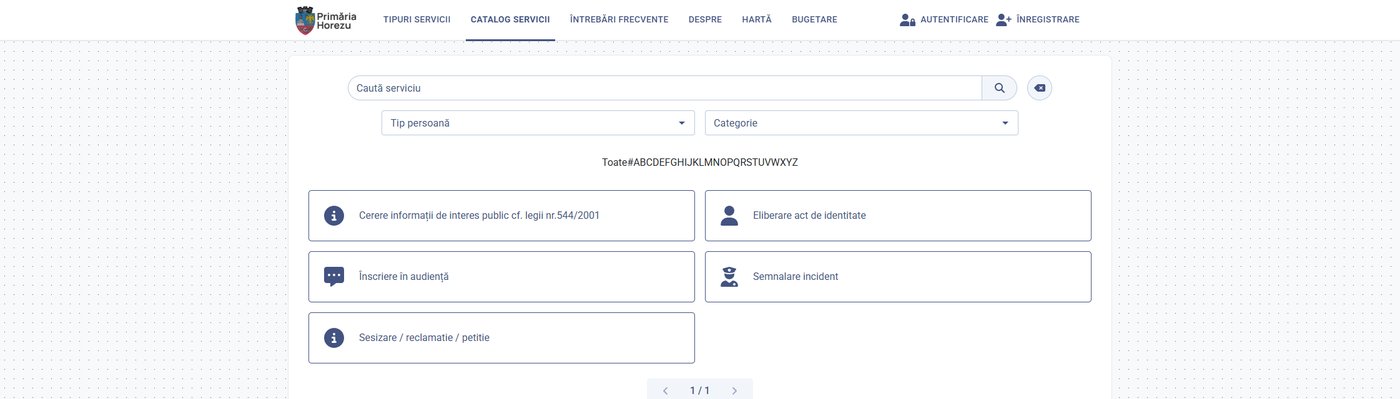
A published catalogue of services, each one a configured form, fee, deadline and route to the department that resolves it.
Why it matters
A service defined once, used everywhere
A PDF on a website is not a digital service. Here, every service the administration offers is defined once — what it asks for, what it costs, who approves it and how long it may take — and that definition drives both what the applicant sees and what the department receives.
Defined once
What a service asks for, what it costs, who approves it and how long it may take is set in one place.
The applicant sees those rules
The form, the fee and the term come from the same definition.
The department receives a complete file
Nothing has to be reconstructed at the counter.
Outcomes
What changes for the administration
The same definition is what the resident fills in, what the officer receives and what the reporting counts.
01
One entry point
Online, mobile, kiosk, email and front-desk requests reach the same case system.
02
A new service in days
Configuration, not a development project per form.
03
Fewer returns for missing evidence
The form refuses what the department would have rejected.
04
Comparable data across services
Every service reports the same way, because they share one definition.
Service definition
What a service definition contains
Defined once, used by the portal, the back office and the reporting.
The form
Fields, help text, conditional questions and the validations that must pass before submission.
The evidence
Which documents must be attached, which the administration already holds, and which it fetches itself.
The fee
Amount, exemptions and the payment methods accepted for this service.
The route
Which department receives it, who approves, in what order, and what happens on silence.
The deadline
The statutory term, when it starts, and what suspends it.
The output
The document issued at the end, its template, its signature and how it is delivered.
One service, end to end
From the applicant's first click to the signed document
The process is configured around the authority's legal and organisational model, including roles, deadlines, document templates and escalation rules.
01
Start
Portal or assisted channel
02
Validate
Identity and evidence
03
Process
Tasks and approvals
04
Sign
Decision and documents
05
Deliver
Notify and archive
How a service gets published
Configured by the service owner, not by a developer
The people who own the procedure are the ones who change it.
01
Define the service
A service owner configures the form, evidence, fee, route and deadline without writing code.
02
Publish it
The service appears in the catalogue, in the languages configured, to the audiences allowed to use it.
03
Receive complete files
Validation and pre-filled applicant data mean the department gets a file it can act on rather than one it must chase.
04
Measure and adjust
Volumes, completion rates and time to decision are reported per service, so the definition can be improved.
Configured per administration
What is configured
- Service catalogue and grouping
- Form fields and conditional logic
- Required and reused evidence
- Fees, exemptions and refunds
- Approval steps, roles and delegation
- Statutory deadlines and suspensions
- Document templates and signature rules
- Languages, accessibility and channels
Connected to
Shared platform services
- Workflow engine
- Document registry
- Payments and financial operations
- Identity and signatures
- National registers
- Reporting on real files
Start with one service
Bring the service your front desk repeats most.
We configure it end to end in a working session — form, evidence, route, deadline and the document it issues.