Module · Internal processes and governance
Legal
Legal case files, litigation, opinions and advice.
The module digitises the institution's legal work: the record of case files, claims and the other types of legal request, drafting opinions and formal advice, legal information on property, and the tracking of litigation before the courts.
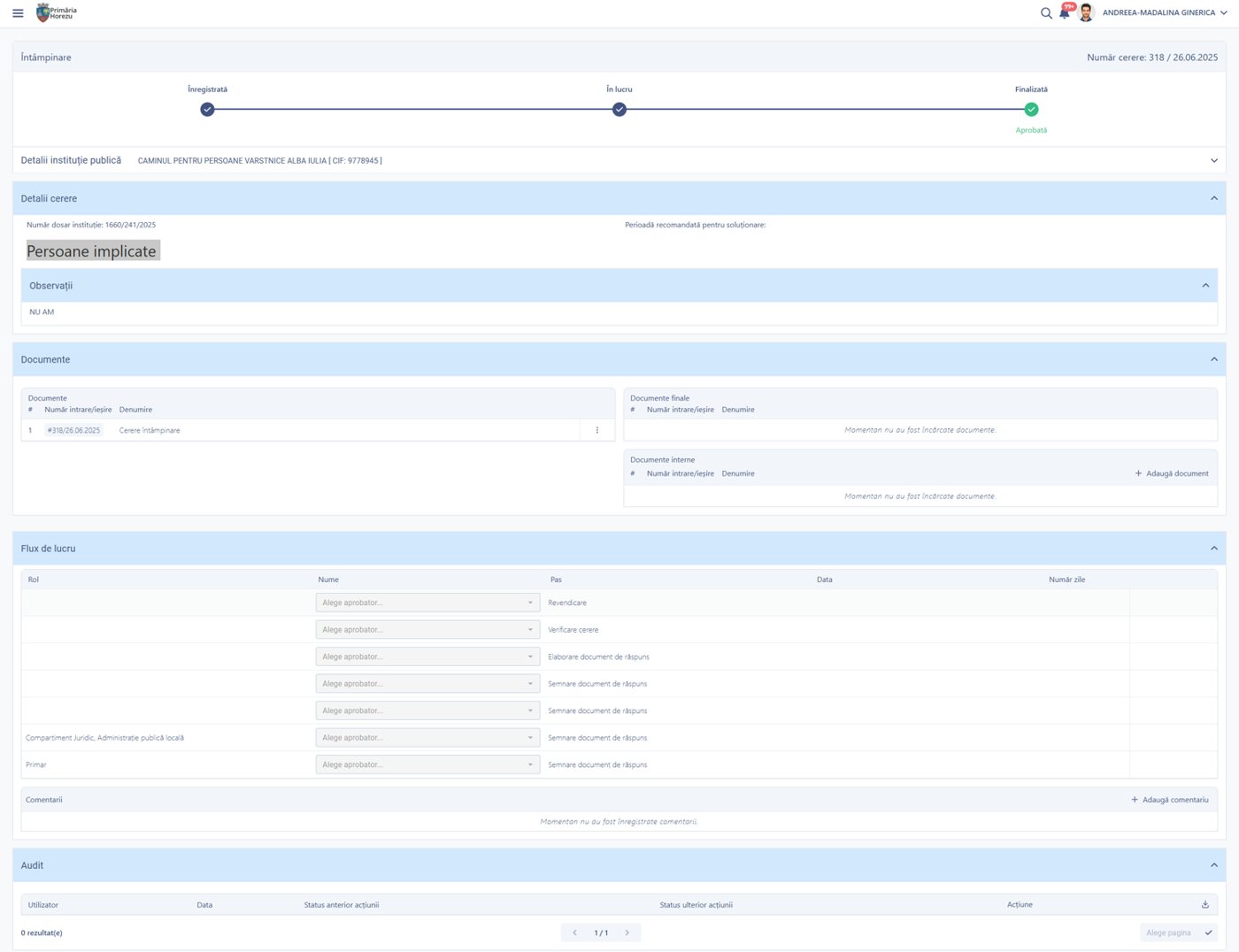
A legal request: the associated case file, documents by category, a workflow with signatories and an audit trail.
What changes in legal work
Hearing dates no longer depend on the legal adviser's personal diary, and the whole case file — requests, documents, people, subject matter — sits in one place.
What you can do
The record of case files and the circuit of legal requests, from registration to the signed document.
Distinct types of request
Claim, defence, appeals, monitoring of legislation, notifications and representations.
A complete workflow
Registration, request check, drafting the response document and signing, with several signatories.
Automatic forwarding
The request reaches the next approver once the previous step is complete.
Legal case files
Independent entities, with internal number, court, court case number and date.
Attached requests
Several requests linked to the same case file, in a dedicated tab.
People and organisations
Involved in the case, with complete identification data and their role.
Subject matter
With reference to the legislation challenged and the articles concerned.
Documents generated
Legal opinions, formal advice and covering letters, generated automatically.
See all features
- Direct completion of a request by the authorised user, with the action recorded in the log
- Email notifications sent straight from the case workflow
- Documents organised into three categories: supporting documents, final documents and internal documents
- A register of legal cases, with internal number, court, court case number, opening date and case owner
- A register of legal requests by type, with incoming number, outgoing number, requester, owner and status
- Reports on active cases, requests by type and status, upcoming hearing dates and opinions issued
- A dashboard with active cases and requests past their deadline
How it works
From the registered request to the signed response document, sent out and recorded.
RegistrationThe request is given a number and an owner
Case fileLinked to the legal case file for the matter
ReviewDocuments, parties involved, subject matter
DraftingA legal opinion, formal advice or response document
SigningOne or more signatories, in sequence
CommunicationSent out and recorded in the outgoing register
What you get as standard
The module is more than an interface. It comes preconfigured in its standard version, ready to use from day one.
- forms
- workflows
- registers
- reference data
- document templates
- business rules
- validations
- notifications
- reports
- dashboards
- access rights
- audit trail
Native integrations
Legal work builds on the correspondence register, on notifications and on the institution's contracts.
Part of the same platform
The Legal module is not a separate application. It uses the same correspondence register, the same documents and the same signing, notification and audit mechanisms as every other module.
How you can start
You do not have to digitise the whole institution at once.
START ONE
Start directly with this module: Legal, the internal portal and the tools it needs to run.
START PRO + LEGAL
If you already have the digital foundation — correspondence register, documents, workflows — the module is switched on top of it, with no migration.
Would you like to see how Legal would work in your municipality?
We walk you through the full workflow on a real case, from the registered claim to the signed document sent out.