Module · Internal processes and governance
Invoices and expense claims
E-invoices, travel requests and employee expense claims.
The module digitises the internal circuit of financial documents: receiving and processing supplier invoices, including automatic capture from the national e-invoicing system, along with requests for official travel, travel orders and employees' expense claims. Every document passes through a workflow of checking, sign-off, payment authorisation and approval, with a full audit trail.
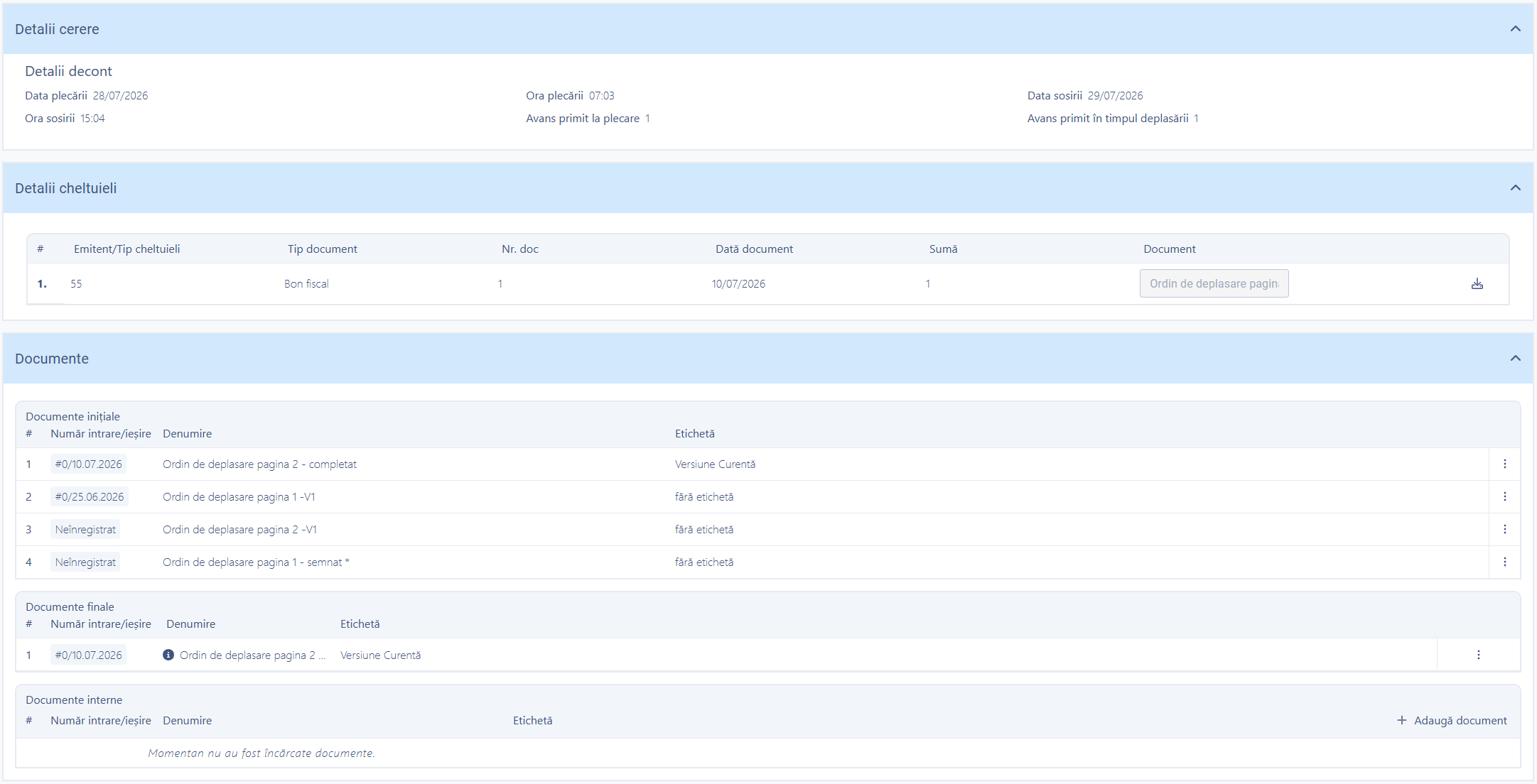
The expense claim: the travel period, the expenses in detail and the initial, final and internal documents.
What changes in the internal financial circuit
An invoice arriving through e-invoicing enters the checking and sign-off workflow by itself, and the travel order and the claim are filled in once — with no printed forms carried between offices for signatures.
What you can do
Processing supplier invoices and the complete circuit for official travel.
The invoice list
Quick filters by status — In progress, Completed, Payment refused — and by category.
E-invoicing import
Automatic capture of the XML file and the structured data from the national system.
Tax authority access token
Managed from the interface, showing the expiry date and revalidation.
Processing workflow
Invoice check → sign-off → payment authorisation and execution, with configurable roles and approvers.
Travel request
Employee data taken from the organisational chart, destination, period, means of transport, days and nights.
Estimated costs and advance
Transport, accommodation and other expenses, with an advance on departure or during the trip.
Expense claim
Period, distance travelled and an itemised list of expenses, with scanned documents attached.
Sign-off by department
Finance department, finance directorate, the chief financial officer and the chief executive, with configurable steps.
See all features
- Claiming and un-claiming an invoice by the responsible member of staff
- Marking payment made or payment refused, with a reason
- Automatic generation of the travel request and the travel order (page 1 and page 2), regenerated when the data changes
- Documents organised in three categories — initial, final and internal — with versioning and labelling
- Electronic signing or digital handwritten signing, depending on the rules configured
- The register of travel requests and the register of expense claims, with filtering and export
- Reports on invoices in progress, completed and refused for payment, and travel expenses by employee and department
How it works
From the invoice received or the request submitted to the payment made and the claim approved.
EntryE-invoicing import or a request submitted internally
ClaimingThe responsible member of staff takes the document
CheckData, documents and reconciliation with the contract
Sign-offDepartmental sign-off, with signatures
Payment authorisationApproval and execution of the payment
ClaimExpenses evidenced and the order regenerated
What you get as standard
The module is not just an interface. It arrives configured in its standard version, ready to use from day one.
- forms
- workflows
- registers
- reference data
- document templates
- business rules
- validations
- notifications
- reports
- dashboards
- access rights
- audit
Native integrations
The financial circuit connects to e-invoicing, to contracts, to the budget and to human resources.
Part of the same platform
Invoices and expense claims is not a separate application. It uses the same records registry, the same documents and the same signing, notification and audit mechanisms as every other module.
How to get started
You don't have to digitise the whole institution at once.
START ONE
You start directly with this module: Invoices and expense claims, the internal portal and the tools it needs to run.
START PRO + INVOICES AND EXPENSE CLAIMS
If you already have the digital foundation — records registry, documents, workflows — the module is activated on top of it, with no migration.
Want to see how Invoices and expense claims would work in your administration
We'll walk you through the complete workflow on a real case, from the invoice captured through e-invoicing to the payment authorised and the claim approved.